![[👨💻🇻🇳] Cài đặt và thiết lập Java trên Windows](https://2023-data-image.top1vps.com/wp-content/uploads/sites/3/2024/03/17860546_6068691848160_5215075537071898624_n.png)
Notice: Trying to get property 'post_type' of non-object in /www/wwwroot/hdd-vatly/re_mysql.top1index-top1list.com/wp-content/mu-plugins/post-media-only.php on line 74

ad-inserter domain was triggered too early. This is usually an indicator for some code in the plugin or theme running too early. Translations should be loaded at the init action or later. Please see Debugging in WordPress for more information. (This message was added in version 6.7.0.) in /www/wwwroot/hdd-vatly/re_mysql.top1index-top1list.com/wp-includes/functions.php on line 6131rehub-framework domain was triggered too early. This is usually an indicator for some code in the plugin or theme running too early. Translations should be loaded at the init action or later. Please see Debugging in WordPress for more information. (This message was added in version 6.7.0.) in /www/wwwroot/hdd-vatly/re_mysql.top1index-top1list.com/wp-includes/functions.php on line 6131



Để cài đặt Java dành cho phát triển ứng dụng, bạn cần cài đặt JDK (Java Development Kit). Bộ JDK gồm các công cụ hữu ích để phát triển các ứng dụng được viết trên nền tảng Java.
Download JDK theo link sau:
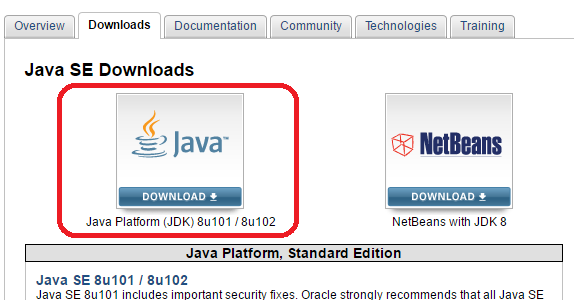
Chọn Java Platform (JDK) 8u101 / 8u102 (bản Java mới nhất hiện tại là Java 8).
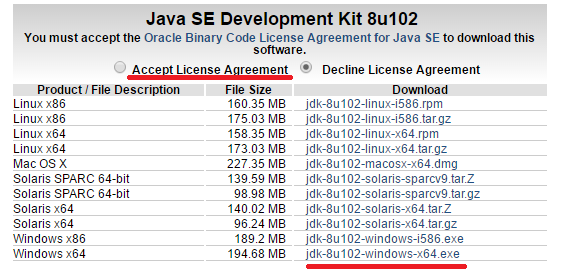
Chọn hệ điều hành phù hợp (Windows x64 nếu đang chạy Windows 64-bit, Windows x86 nếu đang chạy Windows 32-bit). Nhớ chọn Accept License Agreement trước khi download.
Sau khi download về, các bạn chạy file thực thi.
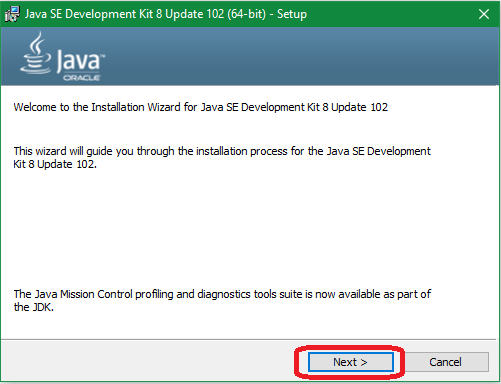
Chọn thư mục cài đặt JDK, có thể để mặc định hoặc thay đổi tùy ý bằng cách bấm Change… Ở đây mình chọn D:\Java\JDK.
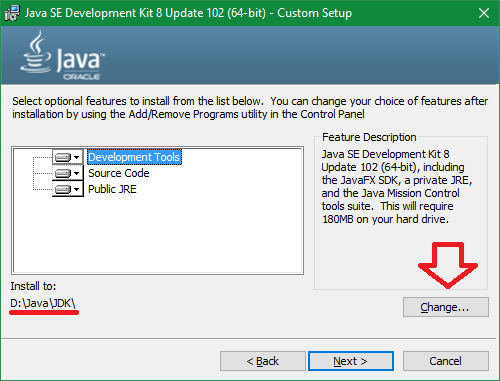
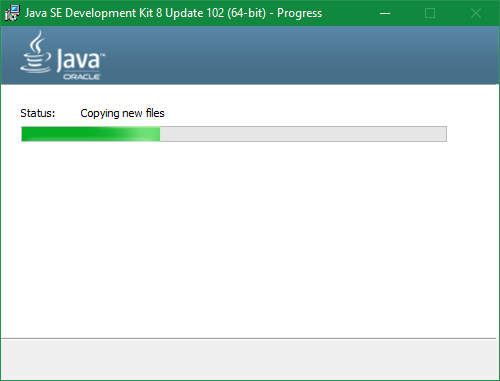
Chờ giây lát để JDK cài đặt.
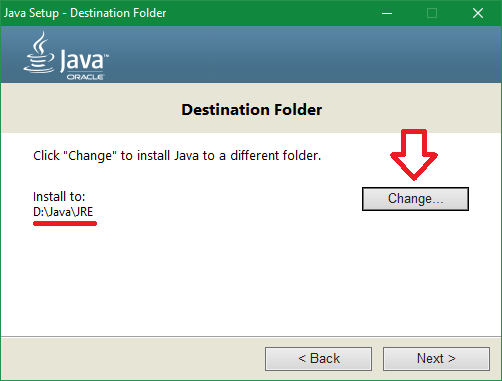
Tiếp theo, trình cài đặt sẽ yêu cầu chọn nơi cài đặt JRE (Java Runtime Environment), có thể để mặc định hoặc bấm Change… để thay đổi. Ở đây mình chọn D:\Java\JRE. Sau đó nhấn Next để tiếp tục.
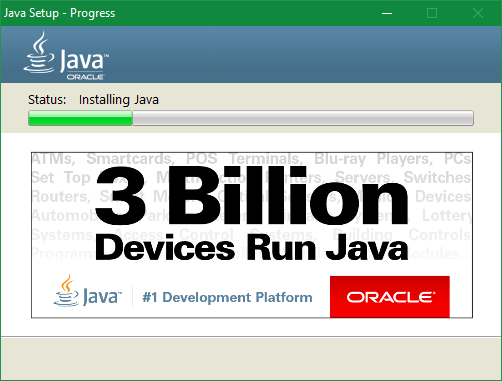
Chờ giây lát để JRE được cài đặt.
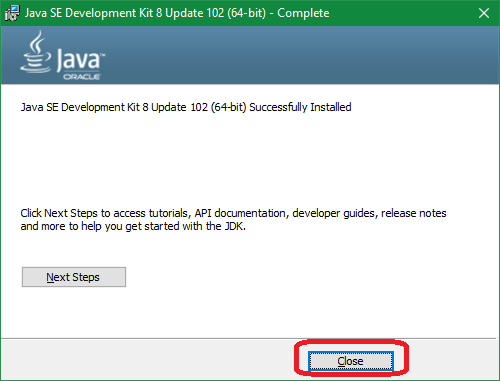
Cài đặt hoàn tất, chọn Close để kết thúc.
Mục đích nhằm để thao tác với Java trên command-line mà không cần dùng tới các IDE.
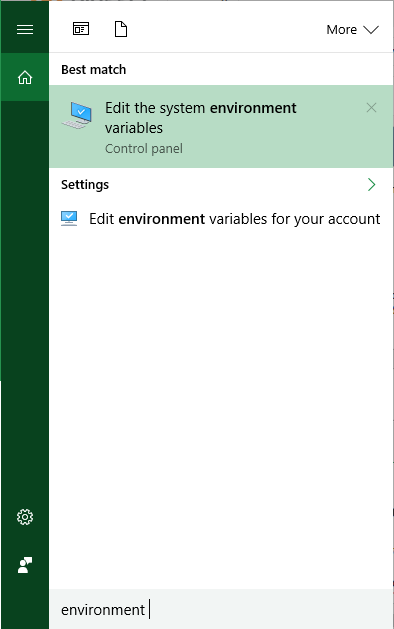
Đầu tiên ta cần mở System Properties, có thể mở cửa sổ này theo nhiều cách khác nhau. Trên Windows 10 ta có thể thực hiện đơn giản bằng cách mở Start menu, gõ “environment” và chọn kết quả được hiển thị.
Chọn Environment Variables… để mở cửa sổ Environment Variables.
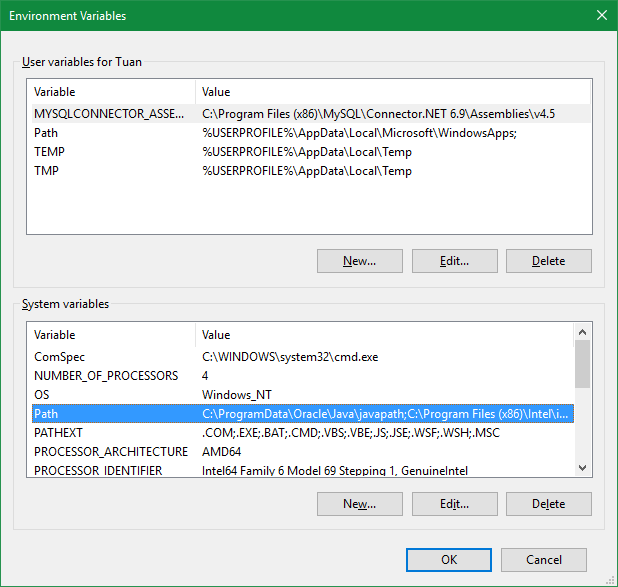
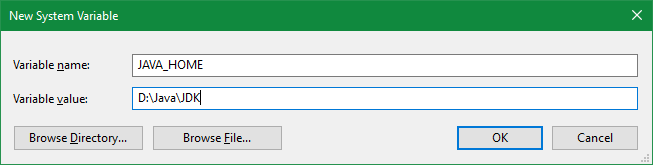
Ta cần thêm vào System variables các biến sau:
JAVA_HOME: đường dẫn đến nơi cài đặt IDK.Path: Giúp tìm kiếm các lệnh mà người dùng gọi.Chọn New… và điền vào các giá trị như sau:
Tiếp tục, cũng trong mục System variable, ta chọn biến Path và bấm Edit….
Chọn New rồi gõ vào %JAVA_HOME%\bin.
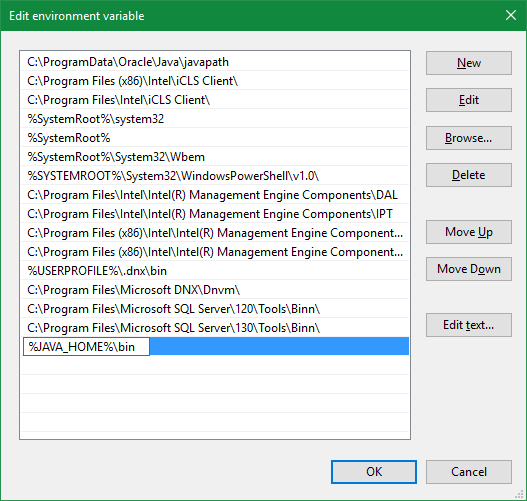
Chọn OK để xác nhận.
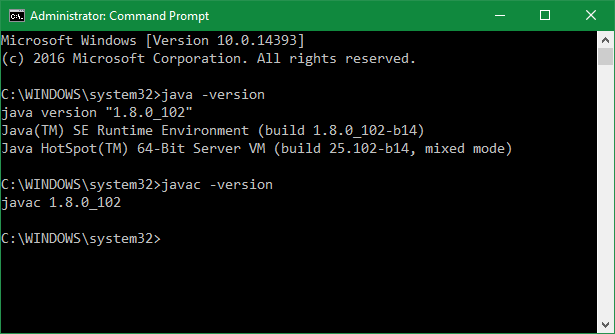
Để kiểm tra lại Java, ta vào cmd và gõ lệnh: java -version
Kiểm tra lại javac, ta gõ lệnh: javac -version
#Cài #đặt #và #thiết #lập #Java #trên #Windows