![[👨💻🇻🇳] Những mẹo sử dụng Visual Studio một cách hiệu quả](https://2023-data-image.top1vps.com/wp-content/uploads/sites/3/2023/11/14445013_1080151575436593_3643018730530595162_o.jpg)
Notice: Trying to get property 'post_type' of non-object in /www/wwwroot/hdd-vatly/re_mysql.top1index-top1list.com/wp-content/mu-plugins/post-media-only.php on line 74

ad-inserter domain was triggered too early. This is usually an indicator for some code in the plugin or theme running too early. Translations should be loaded at the init action or later. Please see Debugging in WordPress for more information. (This message was added in version 6.7.0.) in /www/wwwroot/hdd-vatly/re_mysql.top1index-top1list.com/wp-includes/functions.php on line 6131rehub-framework domain was triggered too early. This is usually an indicator for some code in the plugin or theme running too early. Translations should be loaded at the init action or later. Please see Debugging in WordPress for more information. (This message was added in version 6.7.0.) in /www/wwwroot/hdd-vatly/re_mysql.top1index-top1list.com/wp-includes/functions.php on line 6131



Visual Studio là một IDE rất mạnh mẽ của Microsoft, nó hỗ trợ rất nhiều tính năng từ cơ bản đến nâng cao. Nếu là lần đầu dùng Visual Studio chắc chắn bạn sẽ phải choáng ngợp trước những chức năng của nó. Những mẹo sau đây sẽ giúp bạn làm việc với Visual Studio 2015 hiệu quả hơn.
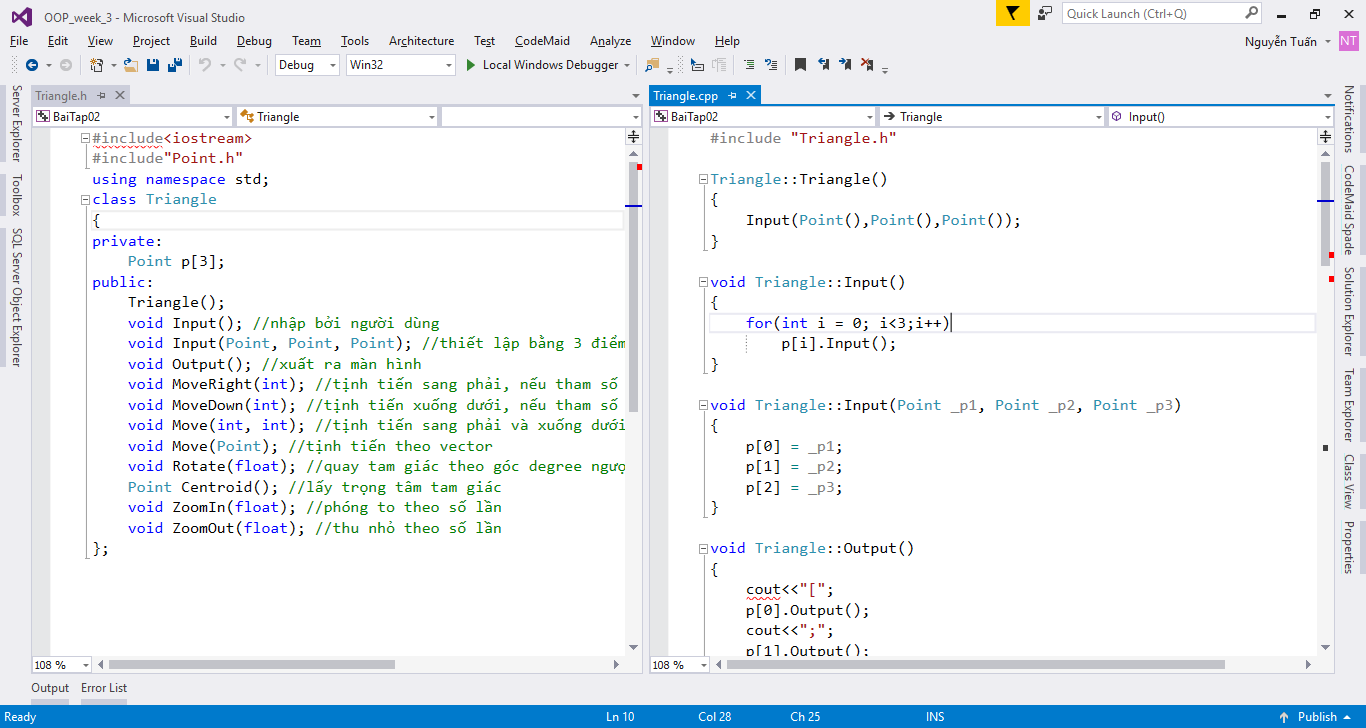
Tính năng này đặc biệt hữu ích khi các bạn code trên C++. Chia màn hình thành 2 phần, một bên là khai báo class một bên cài đặt class sẽ giúp bạn đỡ tốn công chuyển qua lại rất nhiều.
Để chia màn hình ta drag chuột vào tab cần chia, lúc này những ô mẫu hiện ra để ta có thể dock vào vị trí mong muốn.
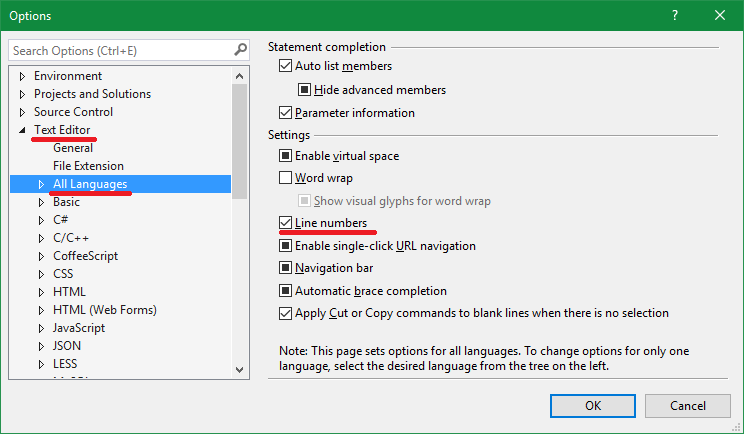
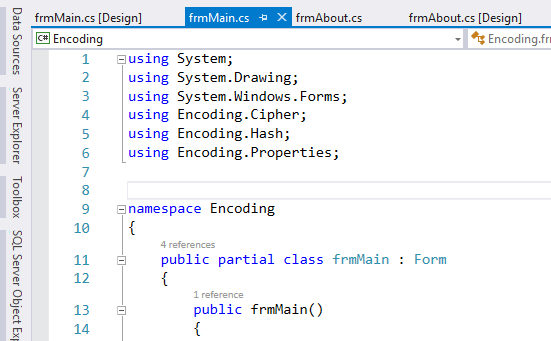
Do chức năng báo lỗi của Visual Studio rất mạnh, nó sẽ tự giúp bạn di chuyển đến đoạn code bị lỗi nên việc hiển thị số dòng code trở nên không còn quan trọng nữa và mặc định được tắt. Tuy nhiên bạn vẫn có thể bật lên bằng cách chọn Tools > Options… Trong cửa sổ Options, bên trái chọn Text Editor > All Language. bên phải check vào ô Line numbers rồi nhấn OK để xác nhận.
Đây là kết quả
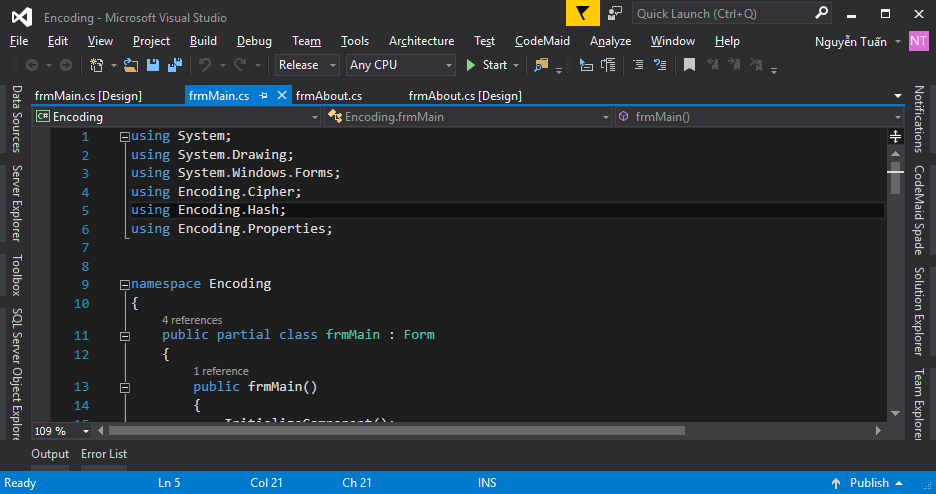
Visual Studio cũng hỗ trợ giao diện tối để giúp bạn làm việc vào ban đêm đỡ mỏi mắt và nhìn cũng professional hơn (==) . Tuy nhiên, mình khuyên các bạn không nên dùng giao diện tối vào ban ngày mà thay vào đó là giao diện sáng để tăng độ tương phản với môi trường.
Để đổi giao diện tối, các bạn vào Tools > Options… Trong cửa sổ Options, ở phần Environment > General, mục Color theme chúng ta chọn Dark.
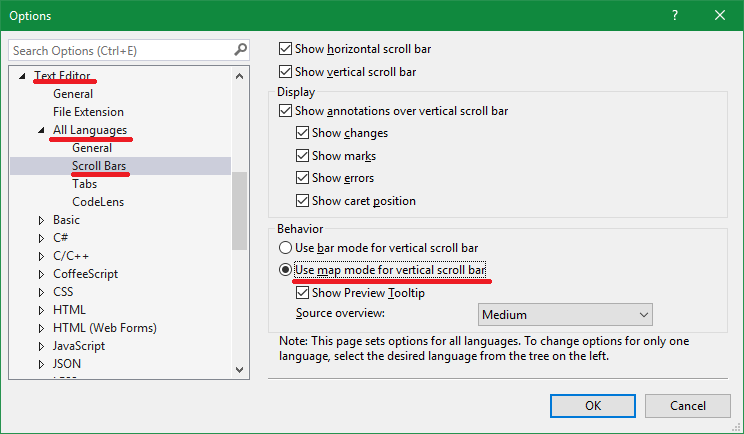
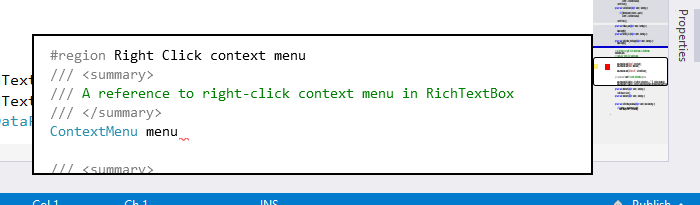
Nếu bạn đã từng sử dụng một editor khác như Sublime Text thì bạn sẽ thấy luôn có một map nhỏ phía bên phải hiển thị bao quát các dòng code trong file. Chức năng này cực kỳ hữu ích khi bạn muốn xem nhanh cấu trúc những file quá dài (như HTML chẳng hạn). Visual Studio cũng hỗ trợ chức năng này, nó sẽ biến vertical scrollbar trở thành một map mini, có thể đánh dấu vị trí lỗi cũng như preview code.
Để thực hiện ta chọn Tools > Options… Bên trái chọn Text Editor > All Languages > Scroll Bars. Bên phải chọn mục Use map mode for vertical scroll bar rồi nhấn OK để xác nhận.
Kết quả hiển thị
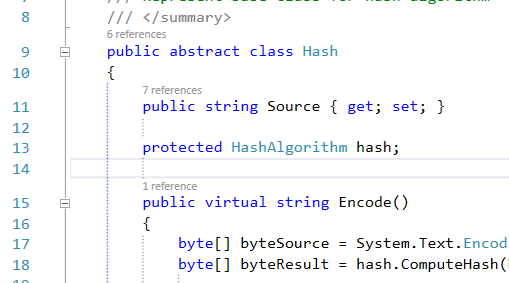
Một số editor hỗ trợ hiển thị một đường dóng xuống trong các dòng code thụt vào cùng cấp bậc. Visual Studio không hỗ trợ tính năng này. Tuy nhiên bạn vẫn có thể thêm vào bằng cách sử dụng các extension trong kho Extension đồ sộ của Visual Studio.
Chọn Tools > Extensions and Updates, mục bên trái chọn Online, trong ô tìm kiếm ta gõ “indent guides”. Chọn vào Indent Guides trong kết quả hiển thị rồi bấm Download.
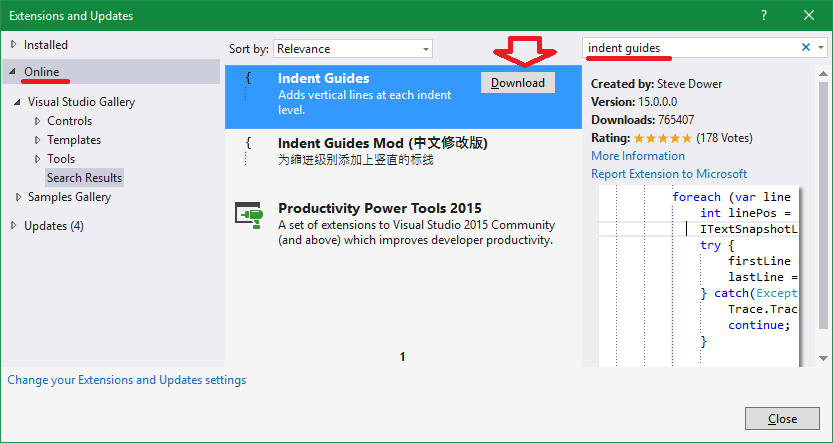
Sau khi download, cửa sổ cài đặt hiện lên, bấm Install là xong. Để thay đổi có hiệu lực ta chọn vào Restart Now để xem kết quả.
#Những #mẹo #sử #dụng #Visual #Studio #một #cách #hiệu #quả